

Invoicing app for macOS
Your business, in balance.
Create invoices and pro formas, manage clients and track payments. Built for freelancers, creatives and small businesses who want to keep their records on their Mac.
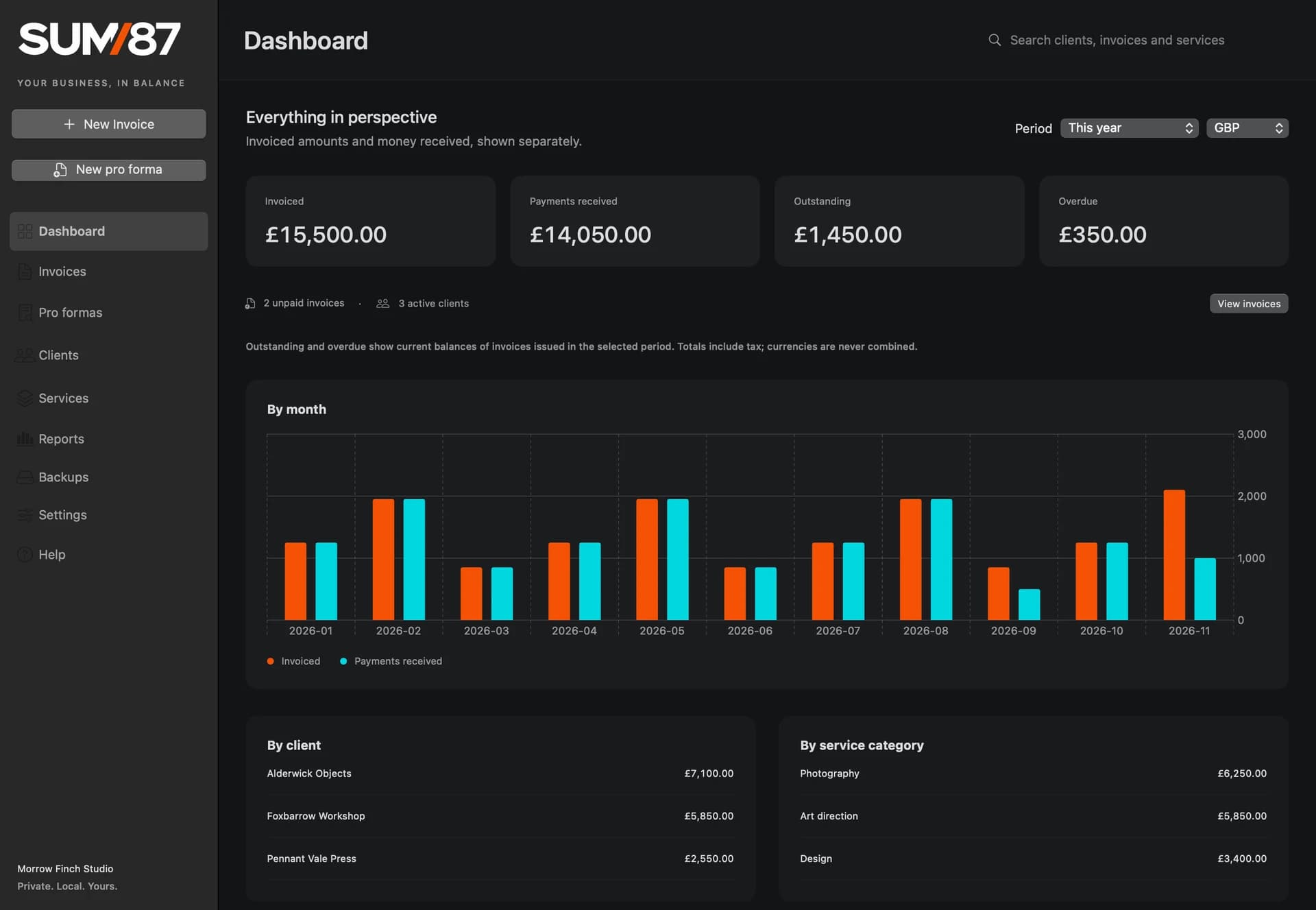
From the first quote to the last payment.
Keep reusable services, client records and invoices together, so there is less to retype every time you bill a client.
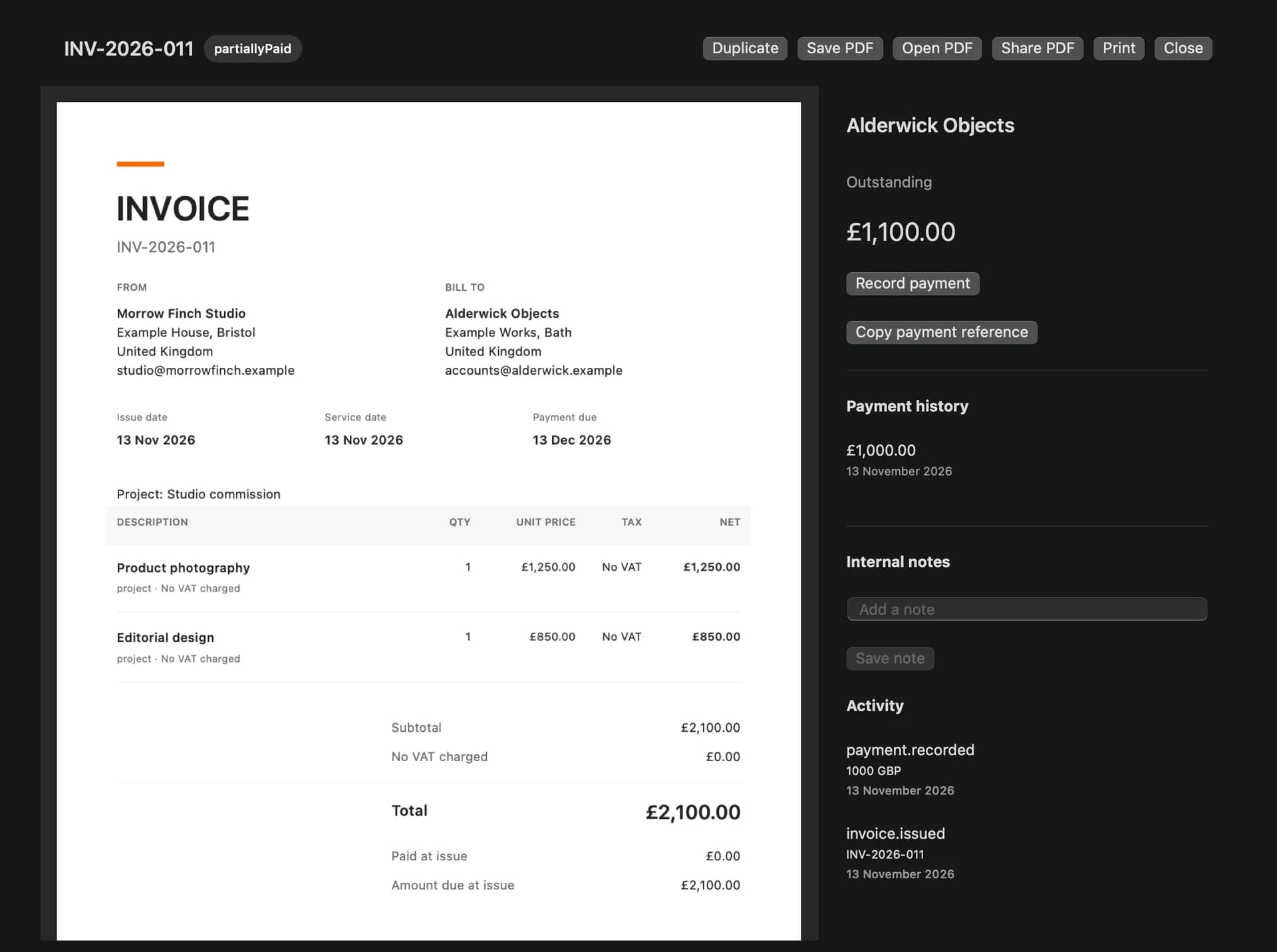
InvoicesIssue invoices, record payments and see what is still due.
Open an issued invoice to record a full or partial payment.
Pro formasPrepare a pro forma and turn it into an invoice when the work is confirmed.
Carry the quoted items and prices into an editable invoice draft.
ClientsKeep contact details and invoice history together.
Set the usual currency and document language for each client.
ServicesSave descriptions, rates and prices you use again.
Add a saved service straight to a new invoice.
ReportsSee invoiced amounts, payments received and overdue balances.
Choose a period and a currency to see the totals for that view.
PDF exportSave, print or share a PDF copy of a document.
Open an issued invoice to access its original PDF.
BackupsCreate a portable backup and choose where to store it.
You can protect a full backup with a password.
TransferRestore your working data on another compatible Mac.
Copy the backup to your new Mac and open Backups in SUM87 to restore it.
Your data. Your Mac.
Create invoices, track payments and export PDFs offline. SUM87 keeps your working data on your Mac, with no required account or cloud service.
Backups you can take with you
Save a backup wherever you like and restore it on another compatible Mac. Keep a copy before updating if you may need to roll back.
English and Polish
Set the language for the app and for each invoice PDF separately.
Invoicing in four currencies
Set a default currency for each client and change it on an invoice draft. Reports show totals separately for each currency.
- GBP
- EUR
- PLN
- USD
Inside SUM87
Actual app screens with fictional UK data.
Try SUM87 for free.
Download the public beta, try it in your workflow and tell us what would make it better.
Download for macOS- macOS 14 or later · Apple silicon (M1 or newer)
- SUM87 0.9.1 · DMG · 1.44 MB
- English and Polish
- Local data · no cloud required
Install SUM87
- Open the downloaded DMG.
- Drag Sum87 into Applications and eject the disk image.
- Open Sum87 from Applications.
This beta uses a local signature and has no Apple notarisation. macOS may ask you to approve the app under System Settings → Privacy & Security. Follow the instructions in the DMG.
Apple’s first launch guidanceFile checksum (SHA-256)
4ff7df6e7316fdc8cba8602b7210efb3cc08373f84d64d36805ee1706696486bWhat would make SUM87 better for you?
Tell us what worked and what you would change. You can send private feedback or share your experience with Process87 on Google.